
PC MikroTik Router in Bangladesh
Looking for a strong PC MikroTik router for your ISP or office network? Reinexa Systems offers high-throughput x86 MikroTik builds on 1U & 2U rackmount server chassis and Dell PowerEdge servers, equipped with multi-core Intel Xeon processors, Intel 10G SFP+ cards, and RouterOS v7. Tell us your users and bandwidth, or use our interactive PC MikroTik Builder to configure your setup.
আপনার ISP-র ব্যান্ডউইথ ও ইউজার অনুযায়ী কাস্টম PC MikroTik কনফিগার করুন
৪টি সহজ প্রশ্নের উত্তর দিন। সাথে সাথে আপনার নেটওয়ার্কের জন্য সঠিক Reinexa RX বিল্ড তৈরি হয়ে যাবে।
Available Hardware
Certified enterprise units tested and ready for immediate deployment in Bangladesh.
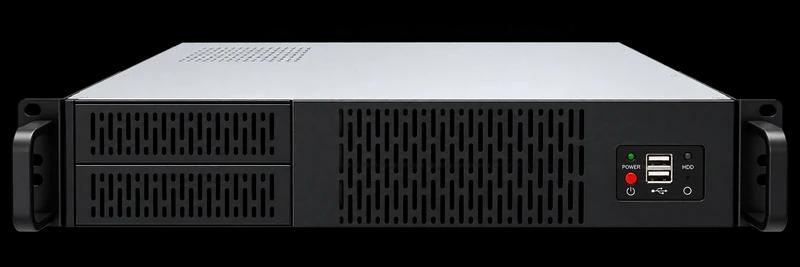
Rackmount Server Chassis for MikroTik Router
Reinexa Custom x86 MikroTik Router Server (RouterOS Ready)
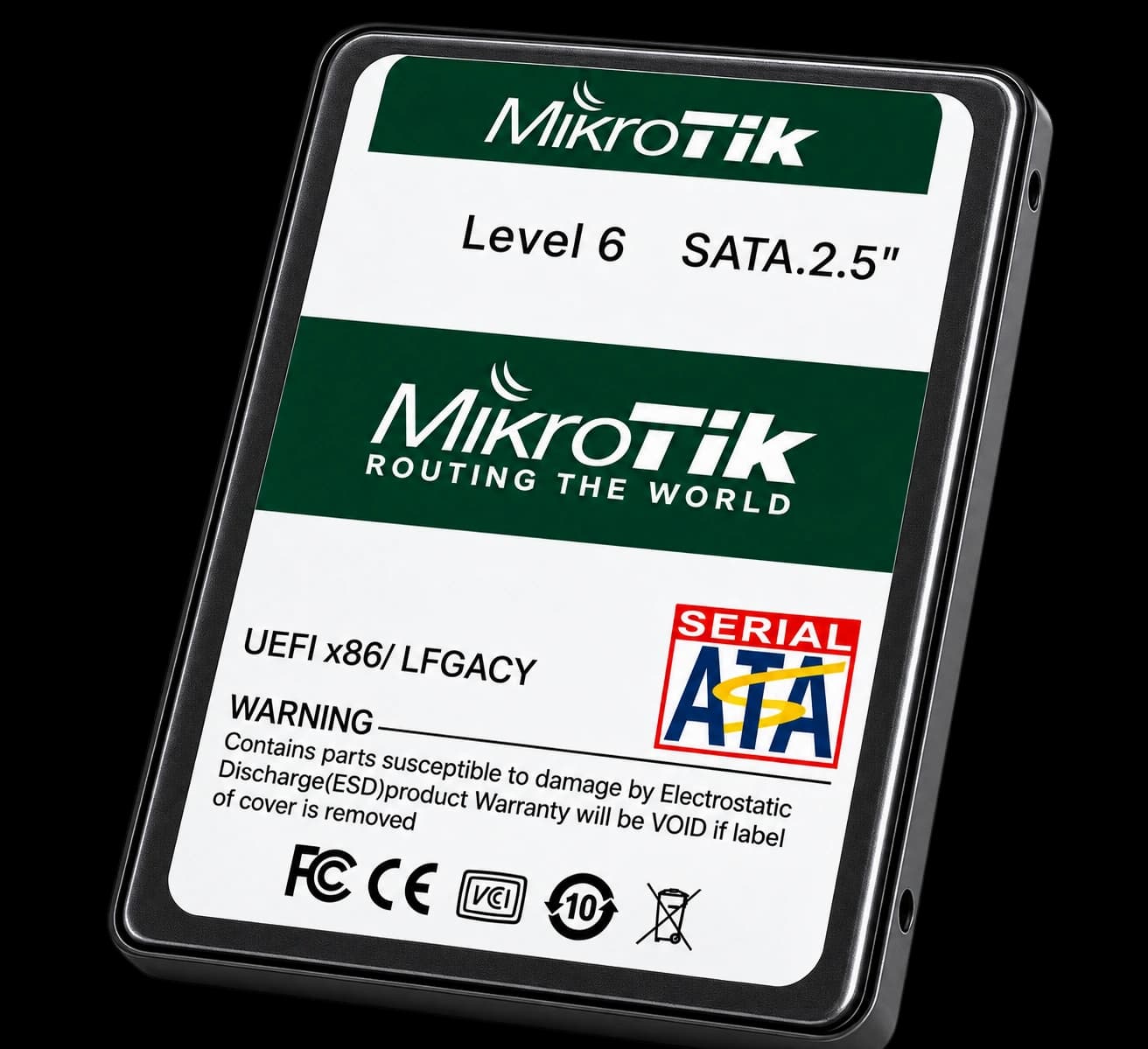
What is a PC MikroTik router?
A PC MikroTik is a normal x86 computer that runs MikroTik RouterOS. It works like a MikroTik router, but you get a faster CPU, more RAM and 10G network ports. That is why many ISPs in Bangladesh use it as a PPPoE server, BGP router or CGNAT box.
At Reinexa Systems, we supply both custom 1U/2U rackmount chassis builds (Reinexa RX Series) and high-density refurbished Dell PowerEdge server setups pre-tested with RouterOS v7 and genuine Intel SFP+ network cards.
Buying Guide
Follow these essential steps to pick the right PC MikroTik setup for your network:
1. Know your users
Count how many PPPoE users you have now, and how many you plan to have in the next year.
2. Know your bandwidth
How much total internet and BDIX traffic do you handle at peak time?
3. Check your uplink
Do you use 1G or 10G? Do you need more than one uplink?
4. Think about BGP and CGNAT
These need more CPU power, so tell us if you use them.
5. Plan for growth
It is smarter to choose a setup that has some room left.
6. Ask before you buy
The right setup depends on your real network. Message us on WhatsApp and we will help you.
Where It is Used
ISP PPPoE Server
Centralized subscriber authentication, IP allocation, and bandwidth package enforcement.
BGP and Core Router
Multi-homed BGP peering with IIG, ITC, and NIX providers with fast convergence.
CGNAT and Bandwidth Management
High-density Carrier-Grade NAT to share public IPv4 pools across thousands of subscribers.
BDIX and Local Traffic Handling
Dedicated peering routing to handle high-speed domestic traffic with low latency.
Enterprise & Campus Gateway
High-throughput secure gateway for universities, corporate offices, and data center racks.
Why ISPs Choose PC MikroTik
- More power for PPPoE users: Faster CPU and RAM for handling active PPPoE queues, simple queues, and firewall rules without latency.
- 10G SFP+ ports: High-speed dual or quad 10G SFP+ ports for high-capacity internet uplinks and BDIX traffic.
- Easy to upgrade later: Add more RAM, faster PCIe network cards, or SSD storage as your ISP subscriber base grows.
- Rackmount 1U & 2U form factor: Standard 19-inch rackmount chassis (1U & 2U Reinexa RX series) fits cleanly into standard ISP and data center server racks.
Frequently Asked Questions
It is a computer with RouterOS installed. It does the work of a MikroTik router, but with a stronger CPU and 10G ports.
It depends on more than user count. Your bandwidth, firewall rules, queues and CGNAT use also matter. Tell us these on WhatsApp, or try our PC MikroTik Builder, and we will suggest a starting setup.
Intel cards are a common choice for PC MikroTik because they usually work smoothly with RouterOS. Our builds use Intel 10G SFP+ cards.
Yes, RouterOS needs a license from MikroTik to run properly. Ask us on WhatsApp before you order, and we will tell you the license details for your build.
The Reinexa RX series uses a custom 1U or 2U rackmount server chassis optimized for high airflow, modular single or dual Xeon CPUs, and multiple 10G SFP+ NICs. The Dell PowerEdge build uses a branded Tier-1 enterprise rack server (like R630 or R730xd) with iDRAC enterprise remote management and hot-plug drives. Both deliver carrier-grade MikroTik RouterOS v7 performance.
Please ask us on WhatsApp for the courier options available for your district.
Price changes with the setup you choose. Send us a WhatsApp message with your user count and uplink, and we will give you the price.
Not sure which one you need?
Use our interactive PC MikroTik Builder to get a tailored starting setup in 4 easy questions, or message our engineering desk on WhatsApp for the price.
Related Categories
1U and 2U Dell PowerEdge servers for heavy-duty x86 MikroTik and virtualization.
Intel 10G dual/quad-port SFP+ PCIe network cards compatible with RouterOS.
10G SFP+ optical transceivers and direct attach copper cables for PC MikroTik.
10G L3 switches to pair with your PC MikroTik for distribution and aggregation.